

Approvals on Biz+
How approval works on Biz+
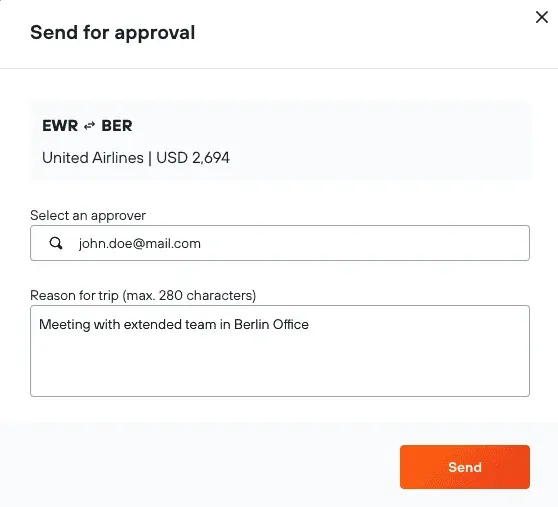
Online Approval
Fast and easy: As soon as you send your request, your approver will receive an email straight away
Clear paper trail: When requesting approval, enter a trip reason so there’s a digital record of your request
Offline Approval
If you don’t have access to your laptop and have called to make a booking, you can speak to the agent about approval.
Notifying Approvers: Agents will request approval on your behalf. If granted, the booking will be made within 24 hours.
Booking pre-reserved: Your booking is pre-reserved until the approval request has been granted.

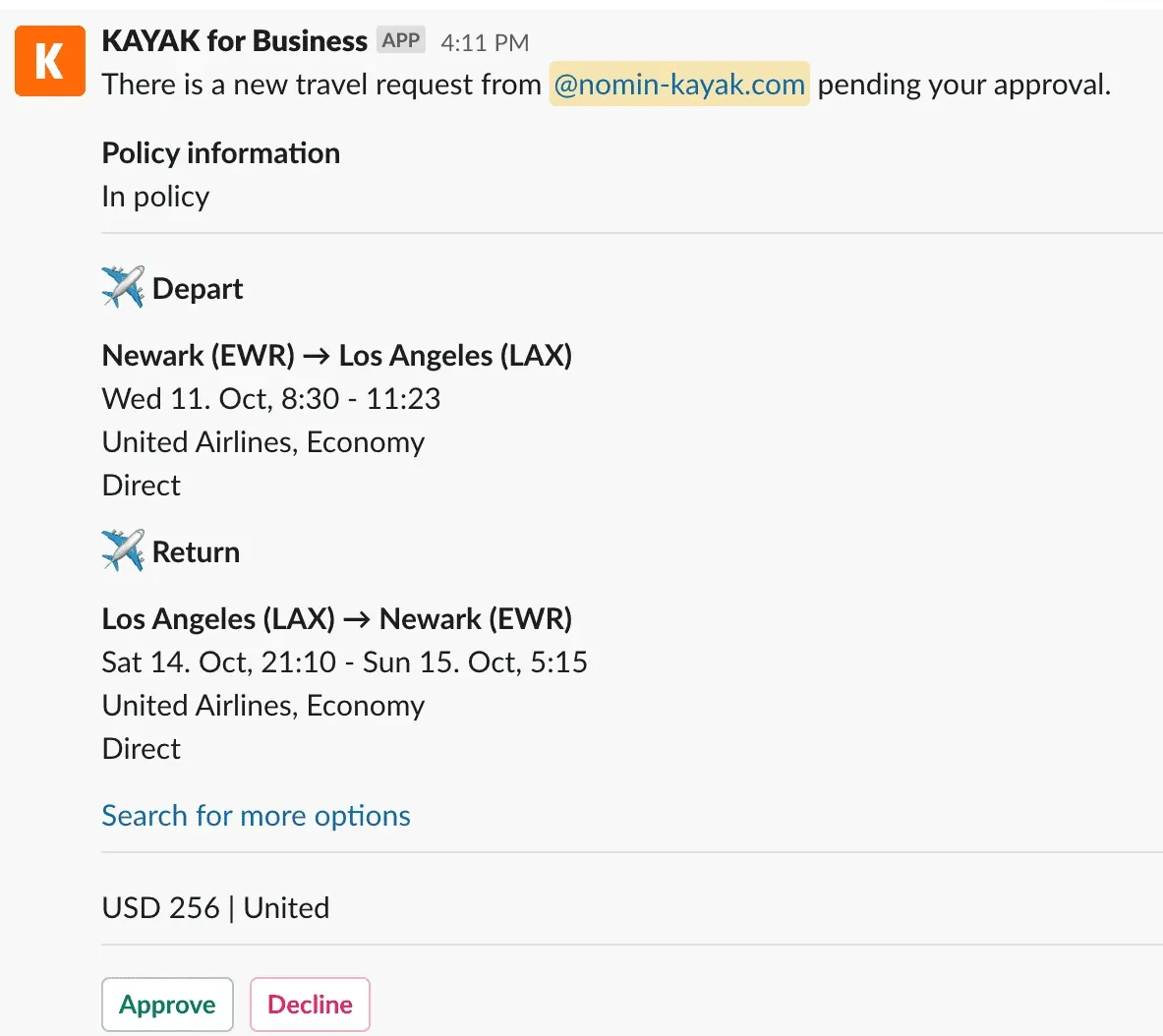
Approval via Slack
KAYAK for Business is directly integrated within Slack to make approval decisions a breeze.
Add to Slack: Click “Apps” on your Slack and search for “KAYAK for Business”, then add it.
Approval Notifications: As soon as someone requests approval, you’ll get a message and you can decide right from Slack.