

Need to book a car rental, but not sure when to do it for the best price? Price Alerts for cars can help you score better deals by letting you know when prices drop. We track. You relax. Here’s how to get started.
How to track rental car prices?
KAYAK Price Alerts for cars let you know when car rental prices go up or down, so you can make the right decision about when to book. Set a Price Alert and get notifications to your inbox or your phone.

All you need to do is go to KAYAK’s car rental search, add the location where you want to rent a car, then toggle on “Track prices” on the search results page.
You can also set and update any Price Alerts in your You can also set and update any Price Alerts in your KAYAK profile.
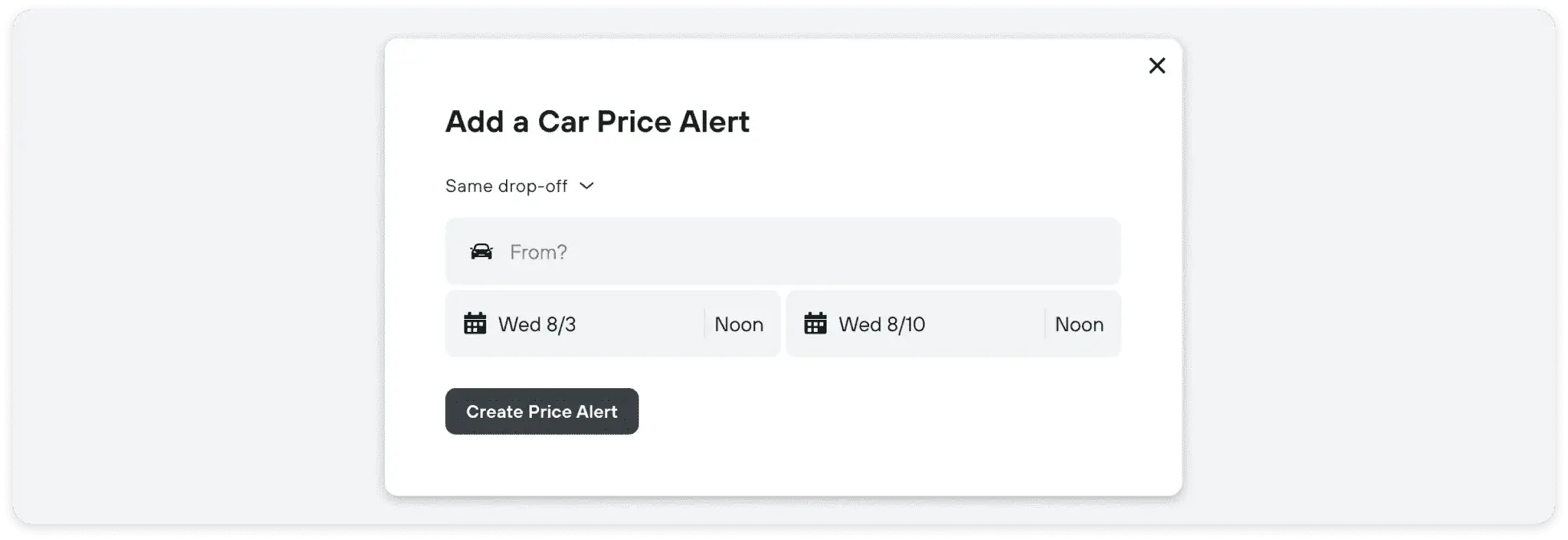
Note, you will need to sign in or create a KAYAK account before setting up any Price Alerts.
More ways to save when booking a car rental.
And, if you’re still not convinced, we have some more money-saving tips that can help you get from Point A to Point B for less:
- Book a car rental with free cancellation policy (use the Policies filter), then if a Price Alert shows a drop in prices, you can always cancel and rebook
- If you’re flexible, set up a Price Alert for both the city location (NYC) vs. the airport (JFK), monitor and book which is better value
- With rising fuel prices, go eco-friendly to save on gas. Use the ‘Fuel type’ filter to search for hybrids and electric cars.
FAQs
Yes! You can use KAYAK Price Alerts to track car rental prices.
Use the KAYAK App to search for car rentals and compare prices. You can also set a Price Alert to track when prices drop.
Prices can get cheaper closer to the date, it all depends on demand. According to KAYAK data, in general, booking about a month in advance is the sweet spot.
You can easily track prices for the pickup location of your choice using Price Alerts. Just search where you want to pick up from, whether that’s the airport of elsewhere, and set a Price Alert for that place.
Once you know you need to rent a car, set up a Price Alert to monitor prices. The earlier the better, but KAYAK data shows around a month before your trip is the best time to book.